Subscription plans
Subscription plans (sometimes called “offers”) are the core object in Curobi. Each plan is a Shopify selling plan group under the hood — Curobi just gives you a merchant-friendly UI to build and manage them.
Creating and editing plans
- Billing type — pay-as-you-go (charged per delivery) or prepaid (charged for N deliveries up front).
- Frequency — any interval, e.g. every 2 weeks, every month, every 90 days.
- Discounts — percentage off, fixed amount off, or tiered: one rate for the first N cycles, a different rate after (e.g. 20% off cycles 1–3, 10% off from cycle 4 on).
- Minimum / maximum billing cycles — enforce a commitment period or cap a prepaid plan.
- Product coverage — attach any number of products or variants to a plan.
- Billing schedule — Rolling (the default) charges each customer from their own signup date. Fixed calendar (Pro) charges every subscriber on the same dates — the 1st of every month, say, or the 15th of Feb, May, Aug and Nov for a quarterly box. Below Pro, the Schedule section shows a View Pro plan button instead of the settings. See Billing Schedules.
Edits to a plan apply going forward; existing subscribers keep the terms they originally signed up under. That includes the schedule: switching a plan between Rolling and Fixed calendar changes it for new signups only.
Once a plan on a fixed calendar is saved, its page shows a Next charge day card: the next charge date, its ship date, how many renewals are due that day and how many new subscribers have joined since the last one.
Archiving and reactivating
Archiving a plan removes it from the storefront widget without deleting its record or affecting anyone already subscribed to it — their billing continues uninterrupted. This is the right move when you’re retiring a seasonal offer but don’t want to lose the subscriber history, or the ability to bring the plan back later with one click (Reactivate).
The plans list
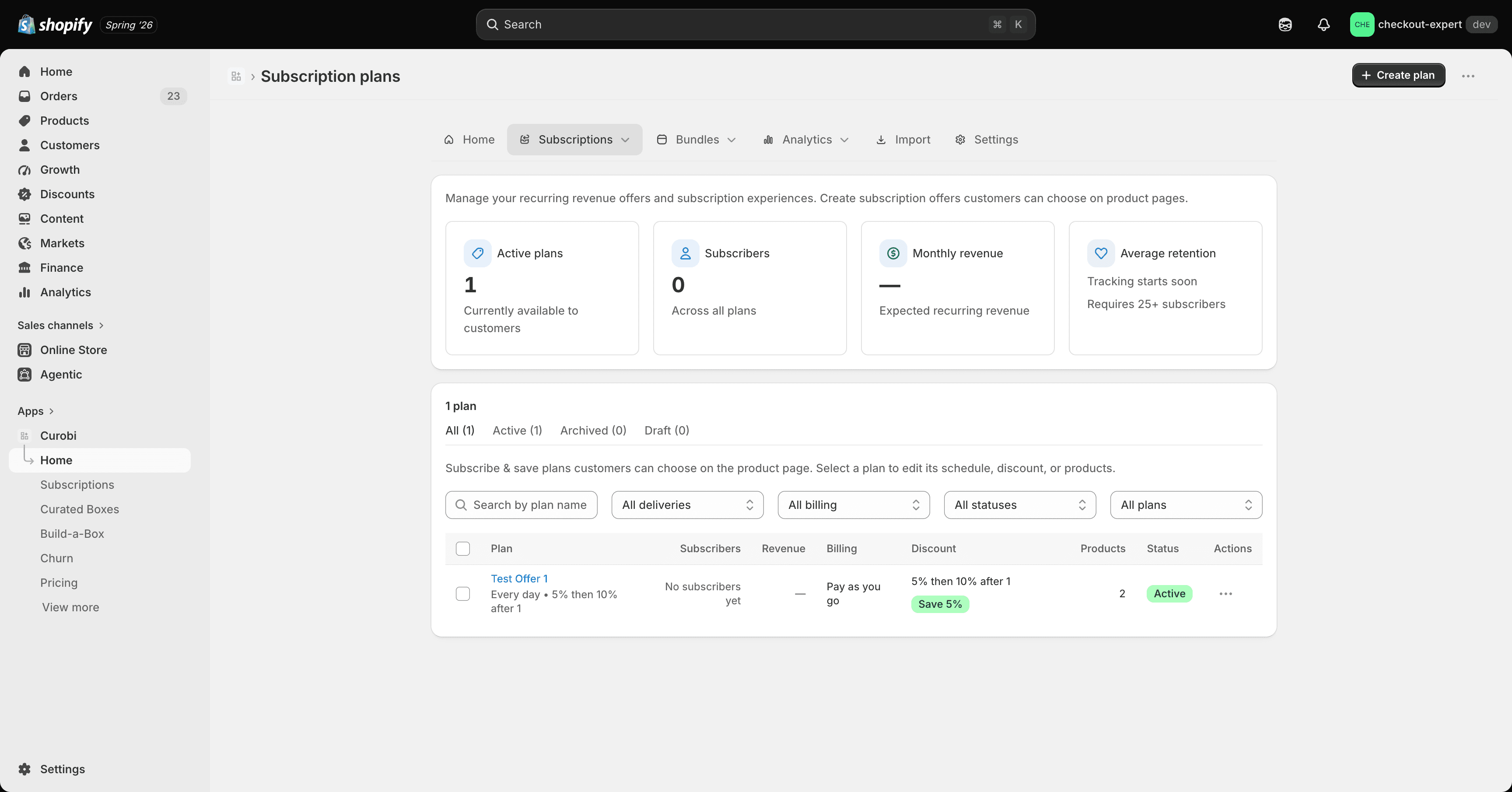
The Plans page gives you:
- Search by name.
- Filters by delivery frequency and billing type.
- Active / Archived tabs.
How plans connect to the storefront
A product only shows a subscribe option once it has at least one active plan attached and the storefront widget block is added to your product template. If a product has both a regular plan and a monthly-box plan, the widget merges them into a single purchase-option group rather than showing two separate widgets.