Curated boxes
A curated box is a merchant-authored “box of the month” — you decide what’s inside each period, and Curobi rewrites every subscriber’s order to that month’s contents automatically on their billing date. It’s the flagship program type for coffee roasters, snack brands, pet, and supplement merchants.
Available on the Pro plan. You can also try Curated Boxes during the Free plan’s one-time 14-day trial — but when the trial ends, the program pauses unless you’ve moved to Pro (see If your plan no longer includes boxes). See Pricing & Plans.
The Curated Boxes dashboard
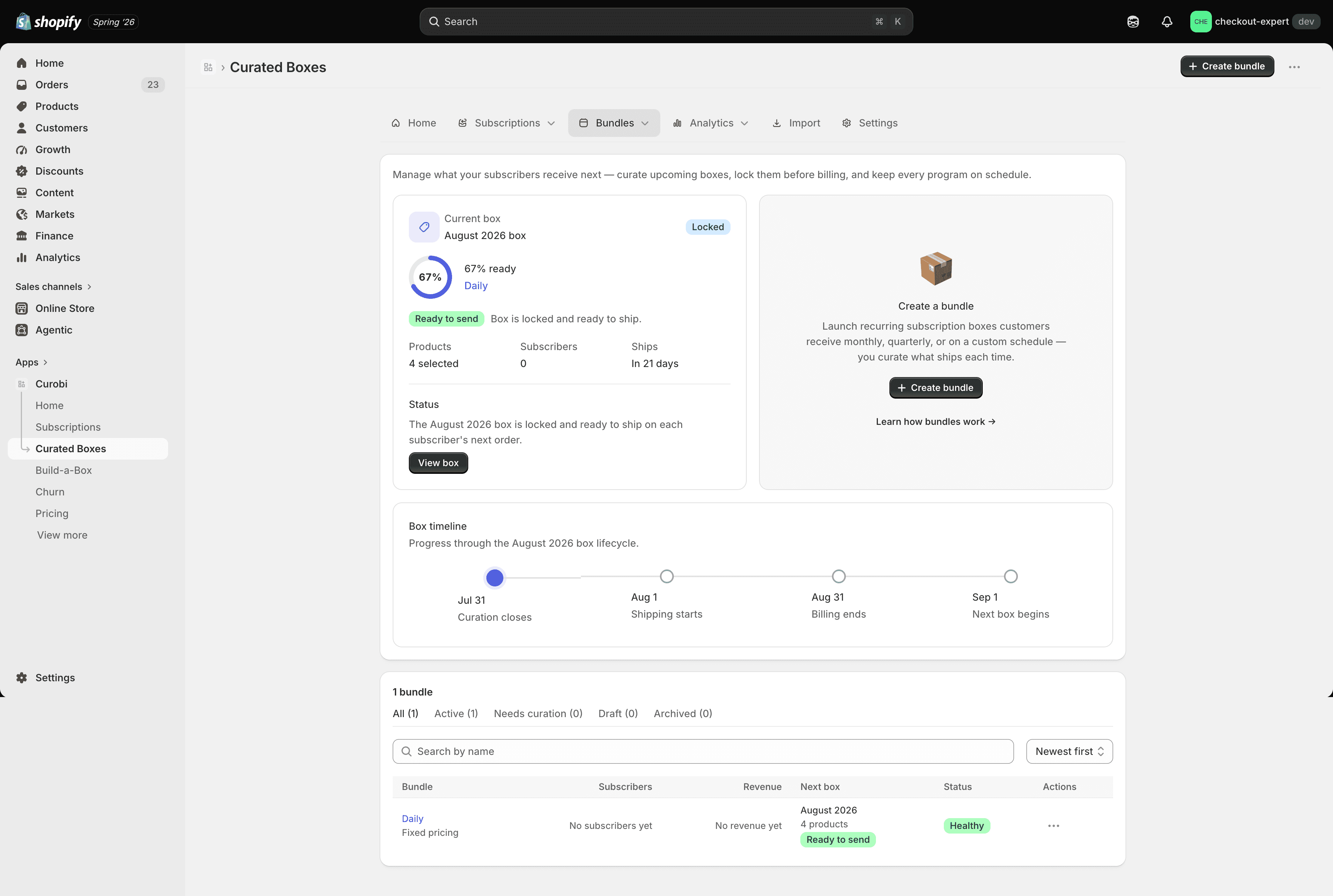
Curated boxes live under Bundles (nav label Curated Boxes). The list shows each box program, its status, and the current period’s contents at a glance.
Create a curated box
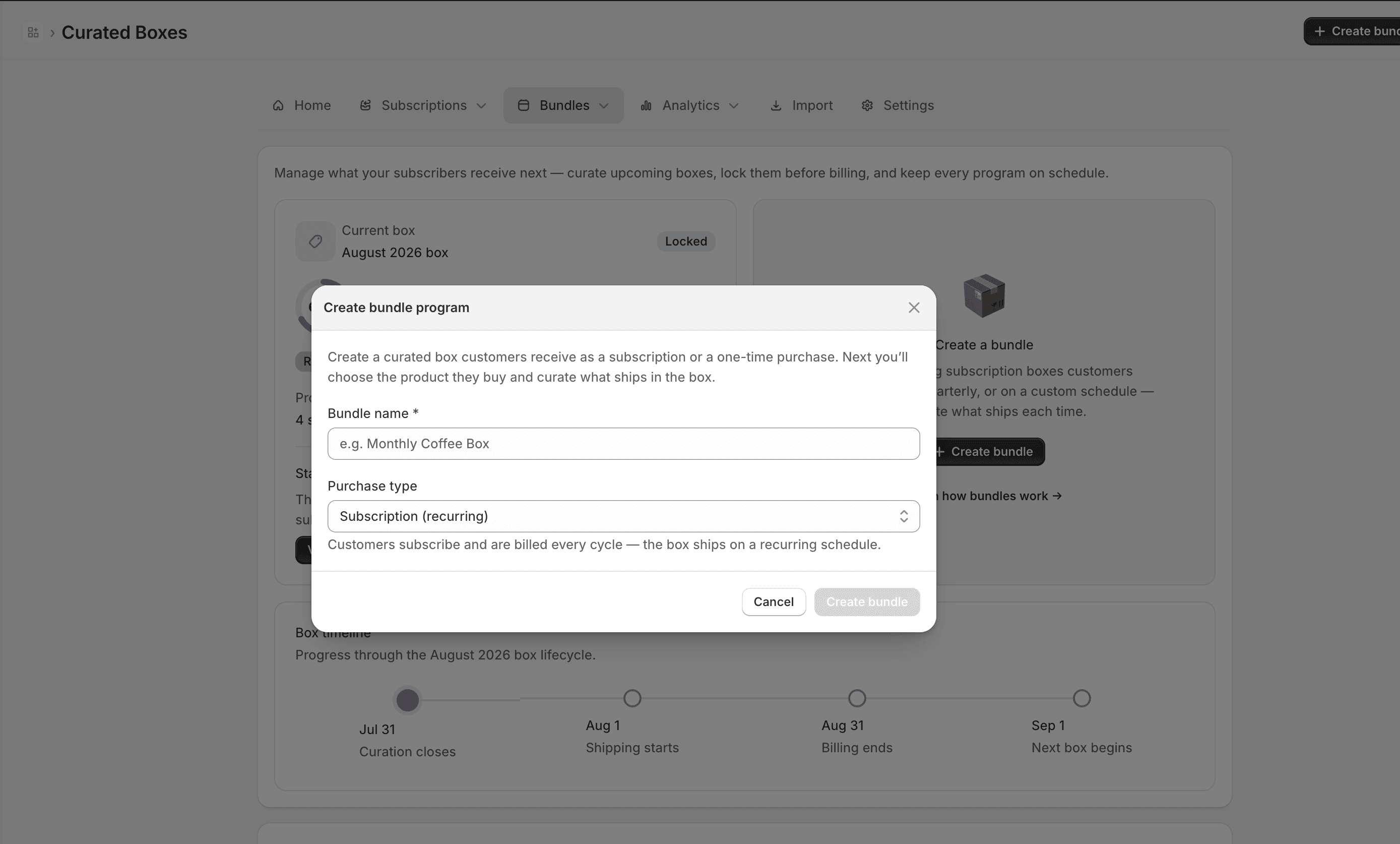
Click Create bundle and choose Curated box. In the first step you name the box and either attach an existing product or have Curobi create a new box product for you (name + price), which it auto-publishes to your Online Store.
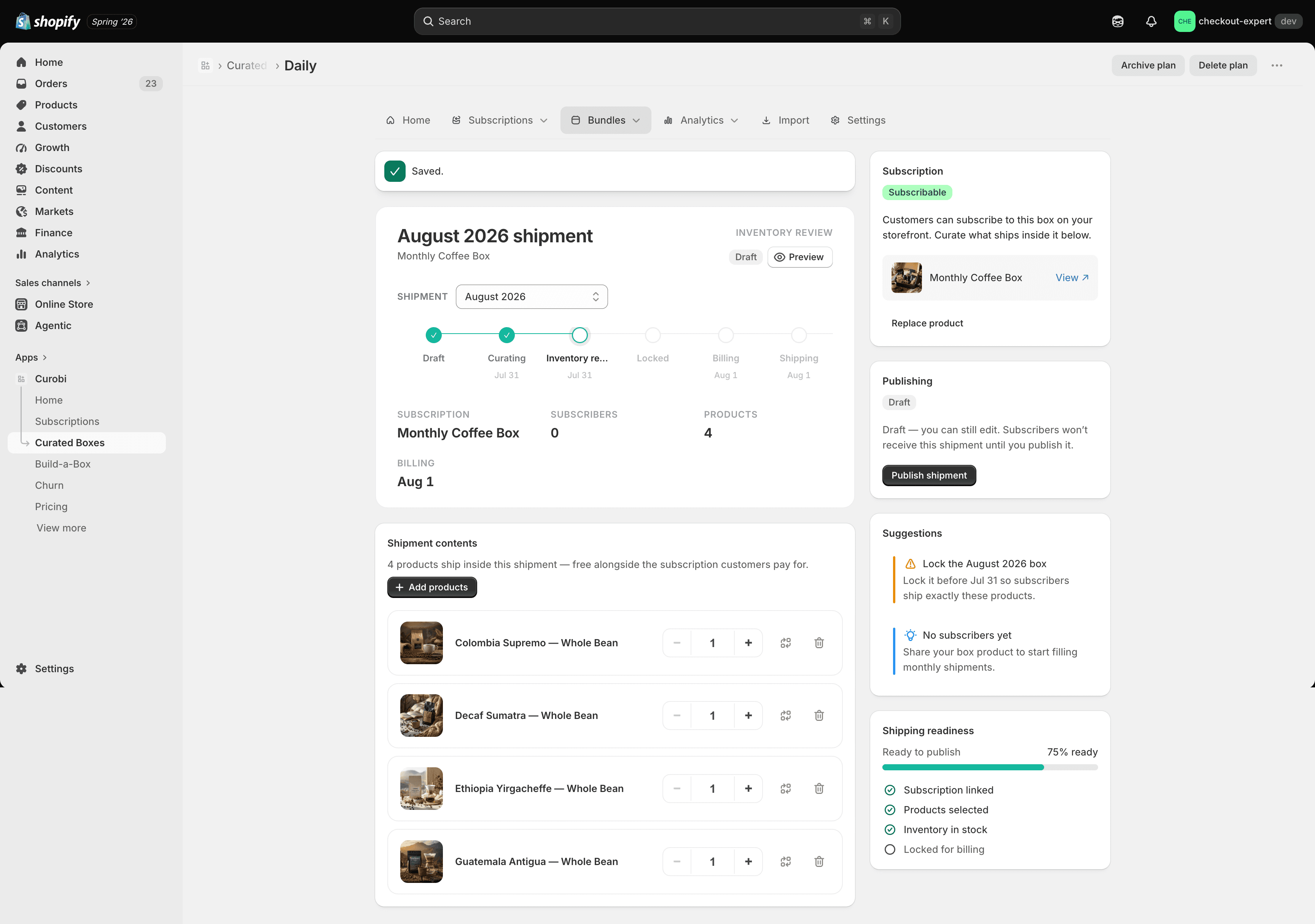
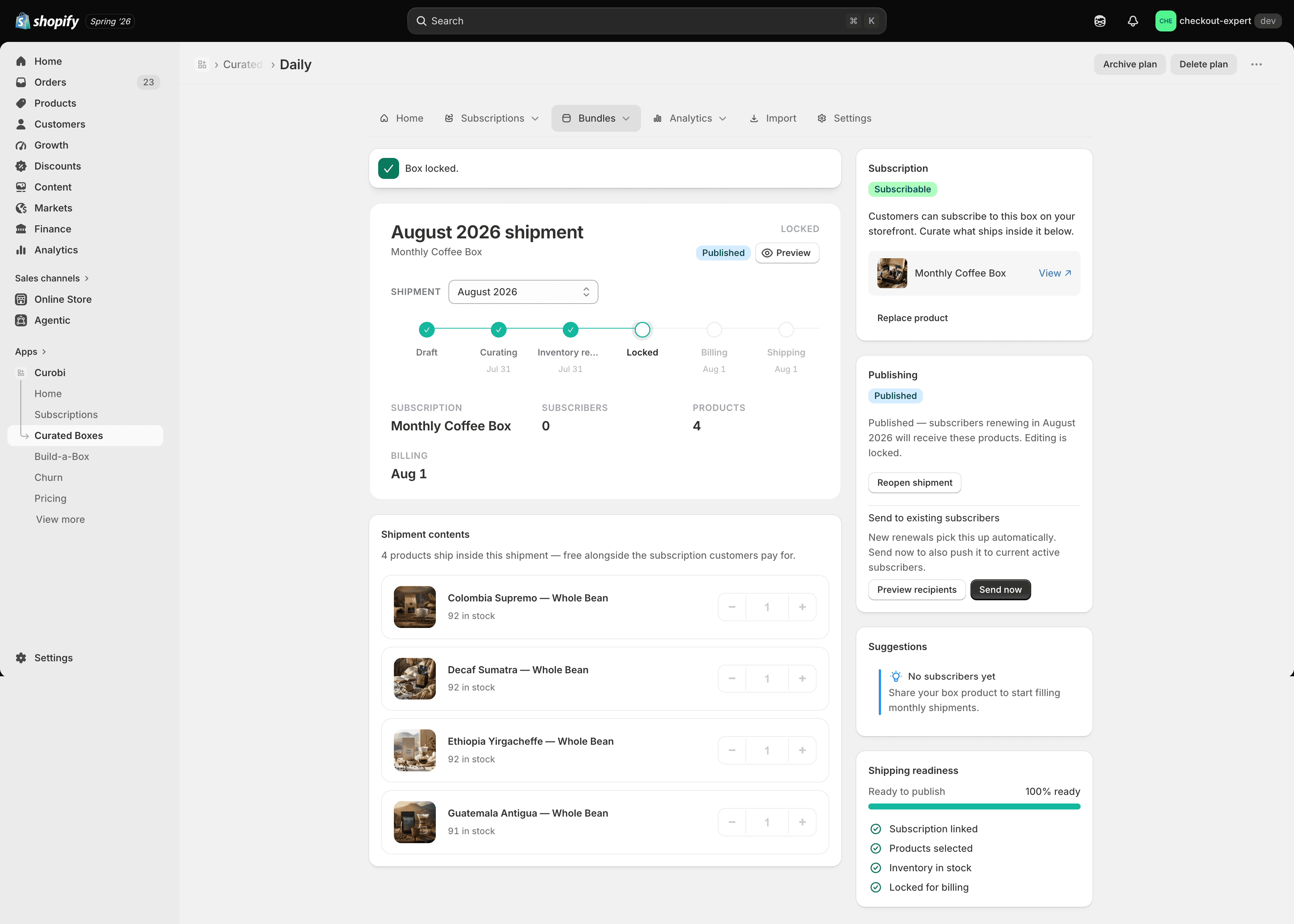
Once created, the box opens in the Shipment Editor — framed around a simple question: “What will subscribers receive this period?”
Curate and publish this period’s contents
Add products and quantities
Add the products and variants that make up this period’s box. Quantities use a + / − stepper
and are also directly typeable.
Lock the box
Lock the box once you’re confident in the contents — locking is what makes it eligible to ship. You can’t publish a box while there are unsaved changes, so you never accidentally ship a stale box.
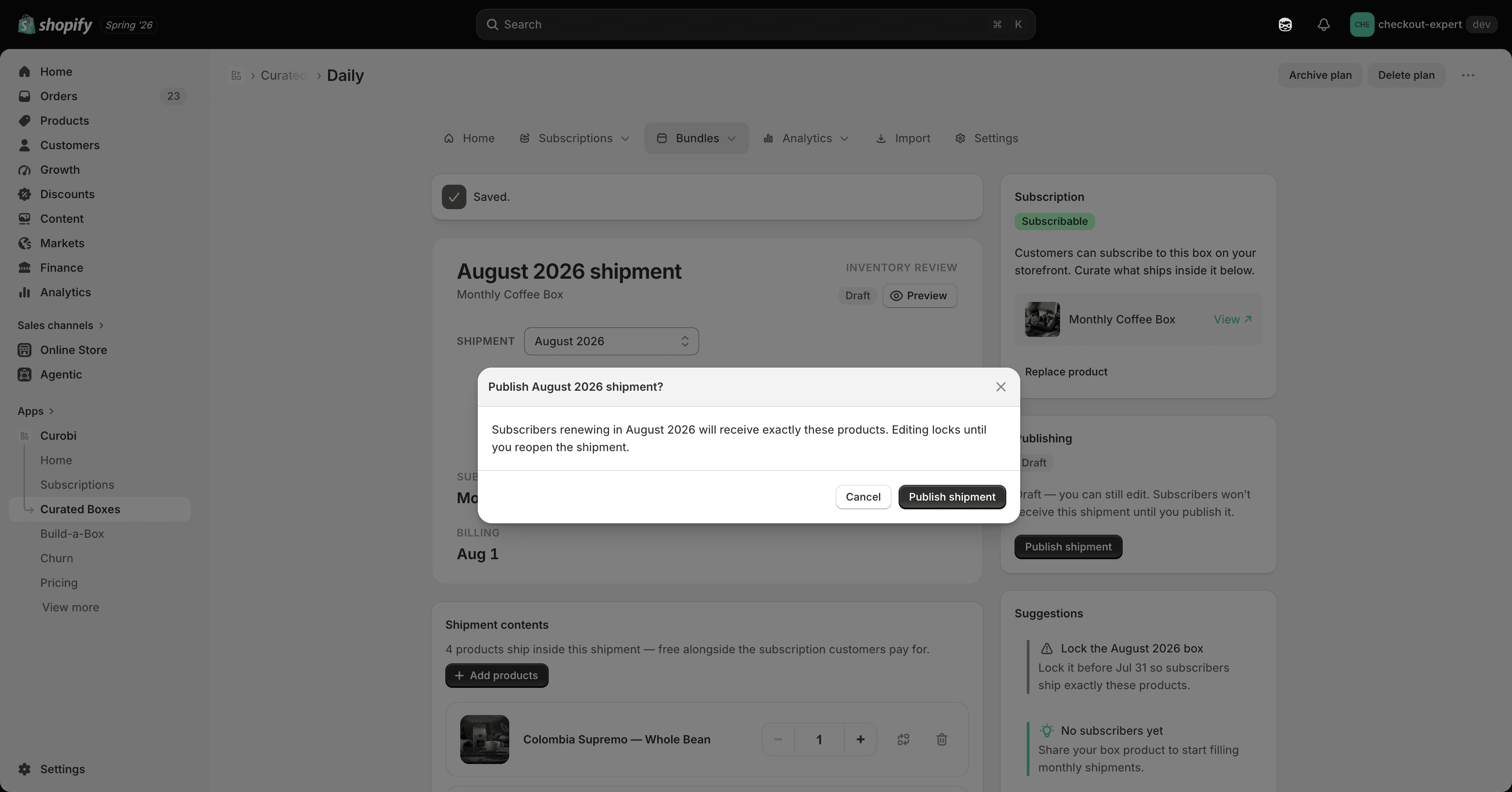
Publish
Publish the shipment to make it live for the upcoming billing cycle.
How propagation works
On each subscriber’s billing date, Curobi’s date-aware propagation engine rewrites their contract lines to the current period’s contents — you never touch individual subscriptions.
- The engine runs on a daily schedule and also covers new subscribers instantly — someone who subscribes mid-period still gets the current box, not last period’s.
- Every propagation is idempotent — re-running it never double-ships or duplicates a box.
Ship every subscriber on the same date
By default, each subscriber renews on their own signup date, so boxes go out a few at a time all month. The box editor’s Schedule section (Pro) can put the box on a fixed calendar instead: everyone is charged on the same day — every month, or only in the months you choose for a quarterly or seasonal box — with an order cutoff and an optional ship day, so you pack and ship in one batch.
- The period picker lists charge days. It shows the next four charge days with their ship dates, and each box is named for the month it’s charged in.
- A one-time box order gets the box for the season it joins, taking the order cutoff into account.
- During the Free trial, you can curate a box but the Schedule section is locked.
See Billing Schedules for every setting and worked examples.
What subscribers see in the portal
In the customer portal, subscribers get a “Your [month] box” preview showing exactly what their next order contains. The contents are read-only: customers can’t replace individual items. That’s the point of a curated box — you choose the contents and Curobi applies them to every subscriber. If you want subscribers to choose, use Build-a-Box instead.
Ship safely
Before a box goes out, the Subscription Risk Center shows a “safe to send” gate, a propagation dry-run preview (exactly who receives this cycle’s box), and an inventory forecast against your live Shopify stock — so you never hit Send blind.
If your plan no longer includes boxes
Curated boxes need Pro. When the Free trial ends without an upgrade, or your store moves to any plan below Pro (including Business), the program pauses rather than breaking:
- Your box subscribers keep renewing with the items already on their subscription.
- New months aren’t added to their renewals.
- Shoppers can’t buy the box anymore — checkout shows “This box is no longer available”.
- Moving to Pro restarts the program.