Build-a-Box
Build-a-Box (BYOB) lets subscribers assemble their own box from a menu you define, with per-item quantity steppers and enforced minimum/maximum item counts. It’s the most flexible box program — ideal for build-your-own snack, coffee, or supplement subscriptions.
Available on the Pro plan. Build-a-Box isn’t part of the Free plan’s trial, and a move to any plan below Pro — including Business — pauses the program (see If your plan no longer includes boxes). See Pricing & Plans.
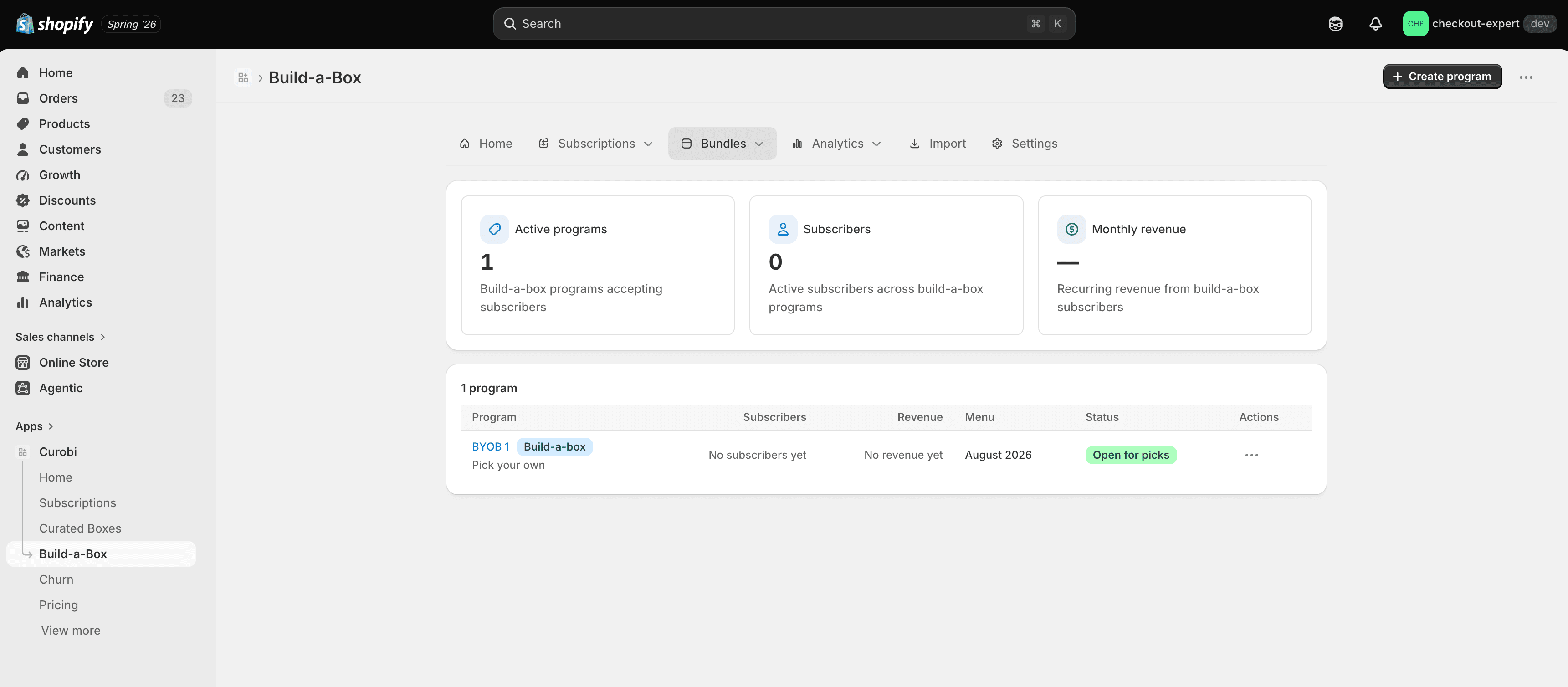
The Build-a-Box dashboard
Build-a-Box programs live under Bundles (nav label Build-a-Box). Each row shows a program, its purchase mode, and status.
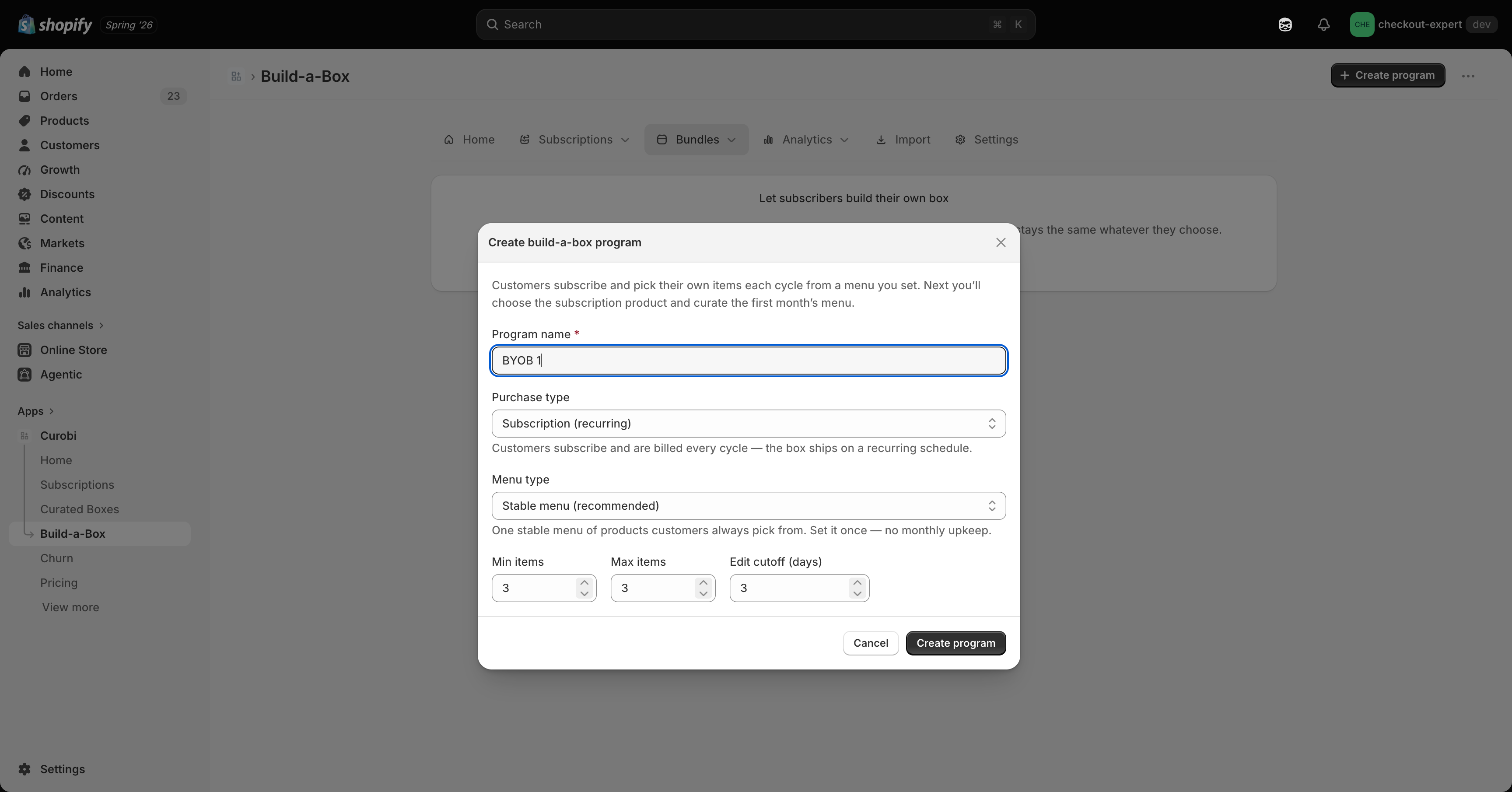
Create a Build-a-Box
Click Create bundle and choose Build-a-Box. Name the program and set the minimum and maximum number of items a customer can pick.
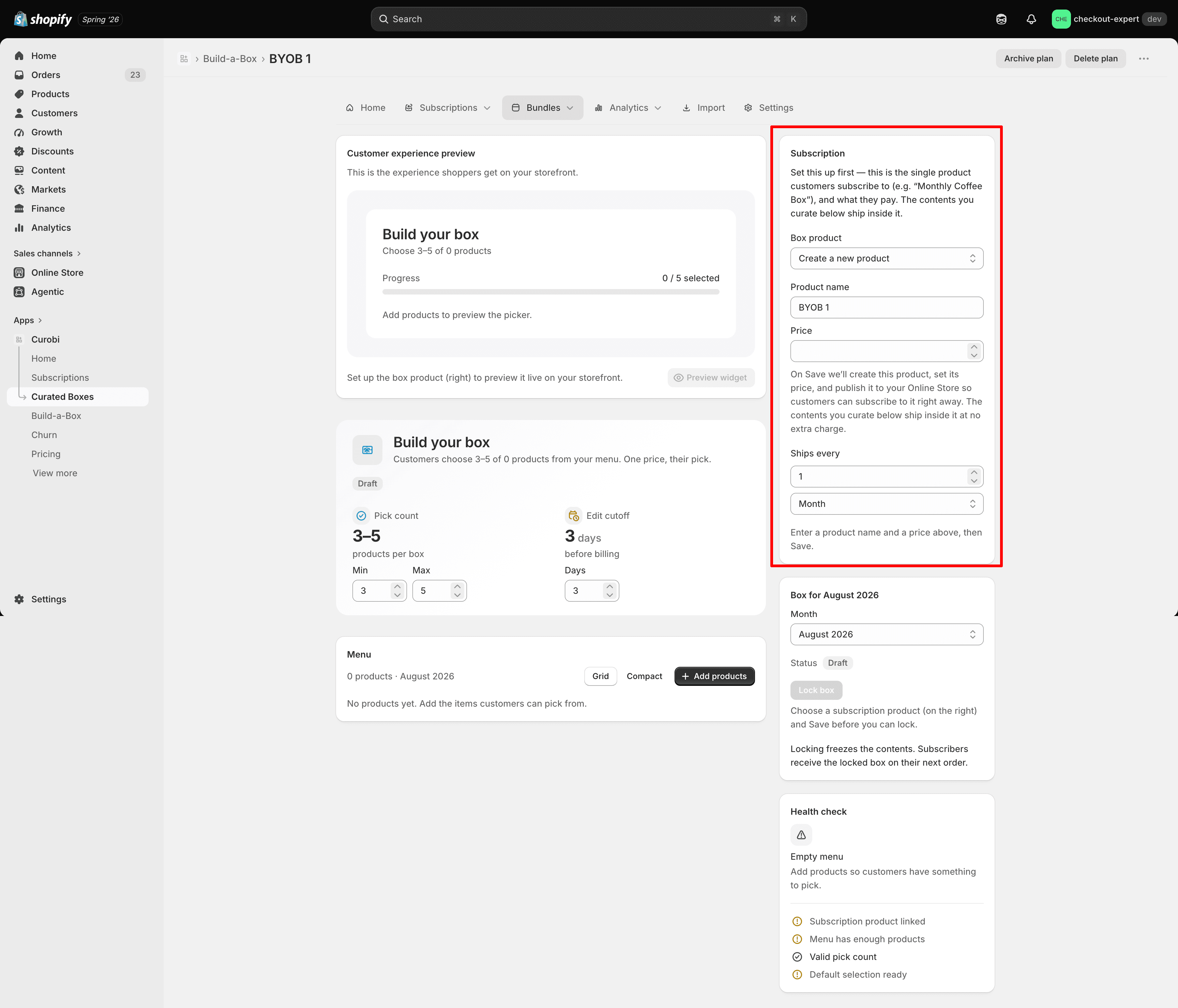
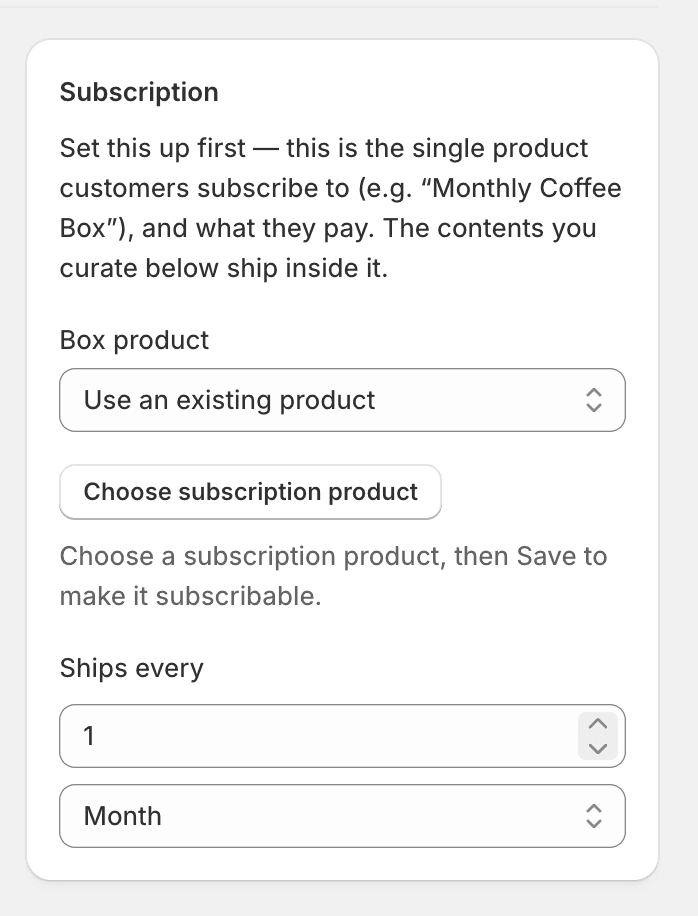
Choose the box product
Attach an existing product to sell as the box, or have Curobi create a new box product inline (name + price) and auto-publish it to your Online Store.
Build the menu
Add every product or variant customers can choose from, then pick a menu source:
- Stable pool (default) — one menu that never expires, good for an ongoing build-your-own program.
- Rotating monthly — the menu itself changes each period, for seasonal programs.
Lock and publish
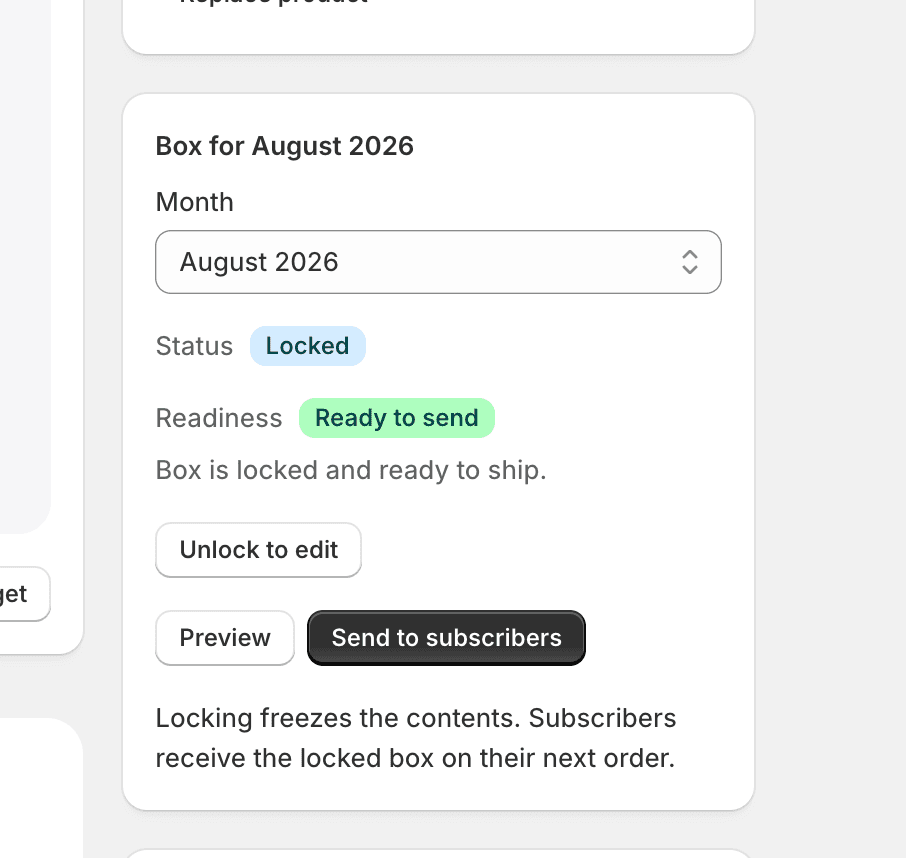
You must lock the box before publishing — Curobi blocks publishing while the box is unlocked or has unsaved changes, so a half-finished menu can never go live.
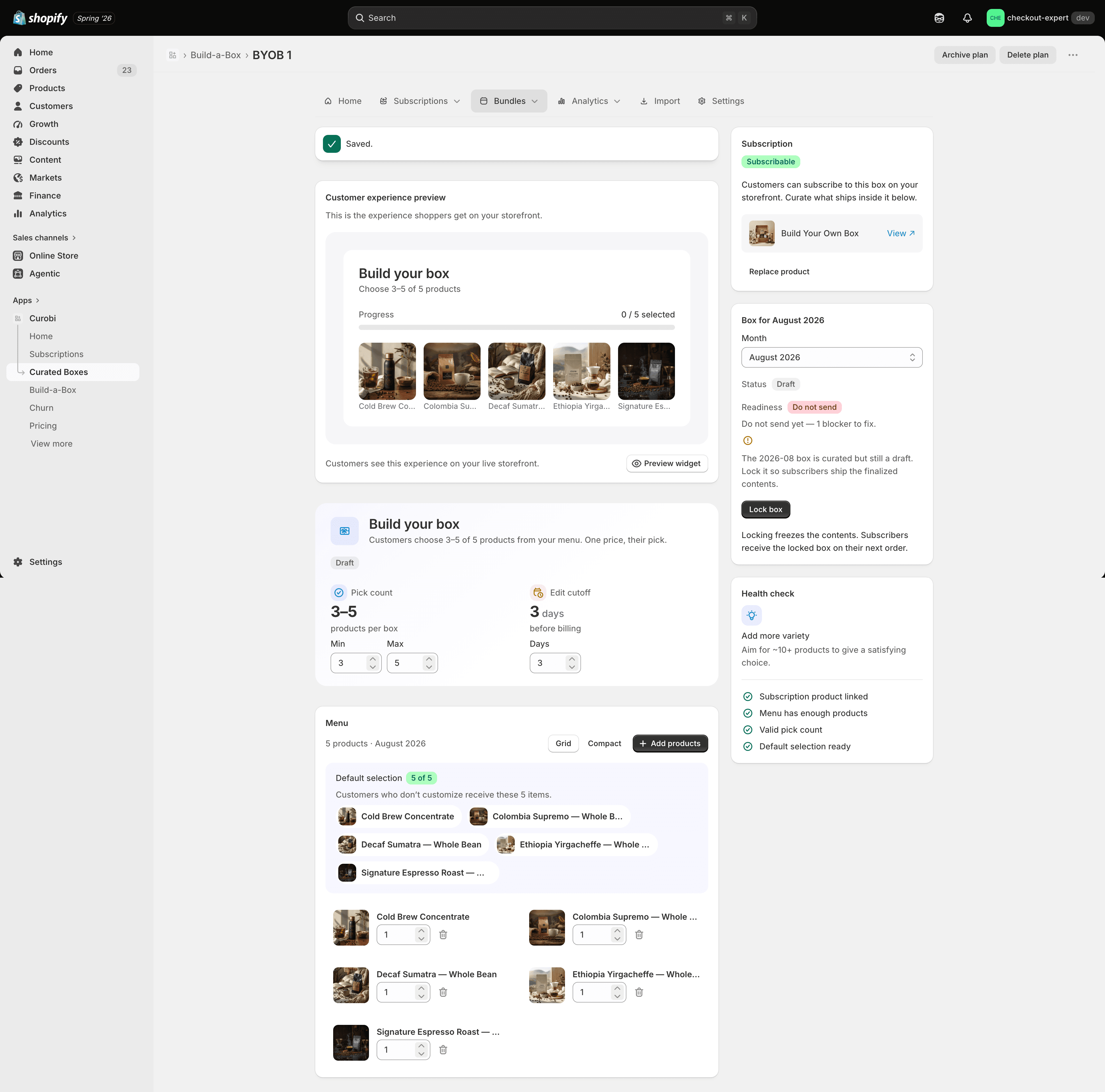
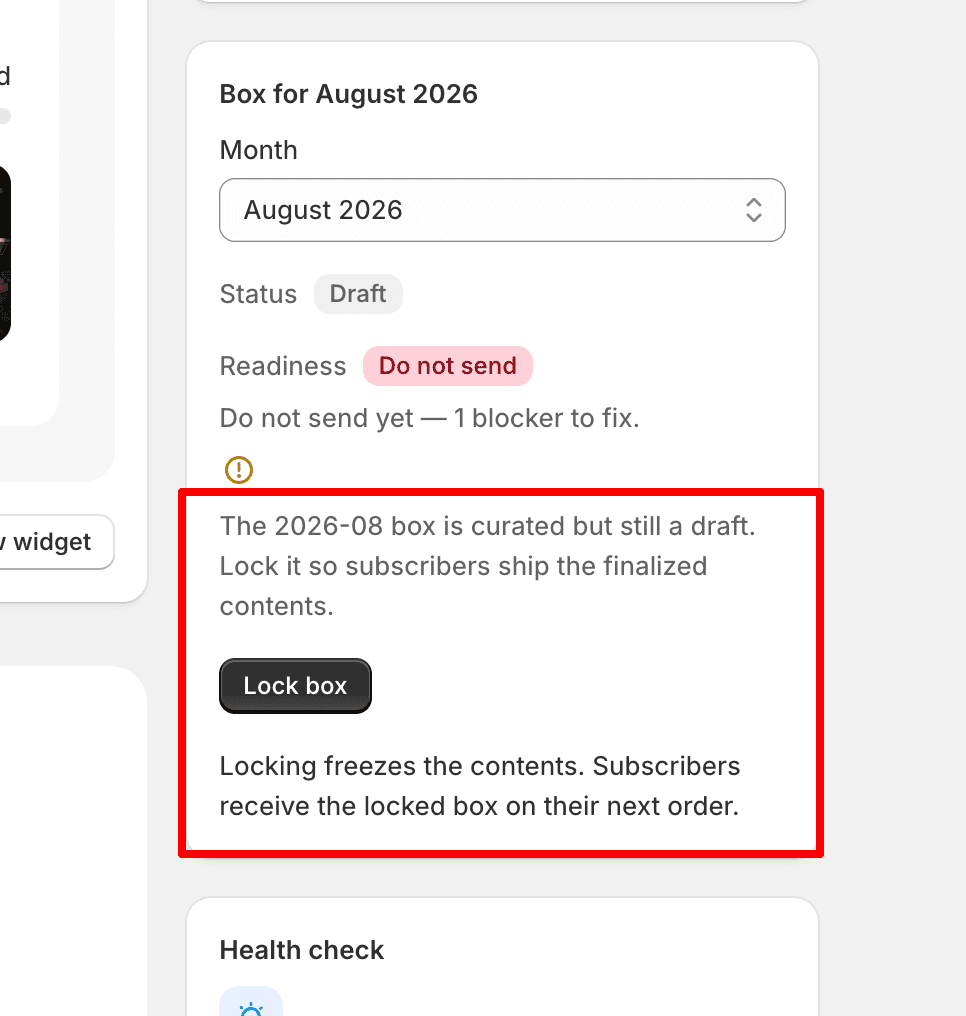
Once locked and published, the program is live on the storefront.
Put the box on a fixed calendar
The box editor has a Schedule section (Pro). Leave it on Rolling and each subscriber renews on their own signup date; switch it to Fixed calendar and every subscriber is charged on the same day — every month, or only in chosen months for a seasonal program. The period picker then lists the next four charge days with their ship dates, and a one-time box order gets the box for the season it joins, after the order cutoff. See Billing Schedules.
How customers pick
- One-time boxes are picked right on the product page, so that exact pick ships with that order.
- Subscription boxes are picked in the customer portal each cycle, with a per-period selection cutoff; the product page shows a read-only “what’s inside” preview instead.
Component items expand into real line items on the order (as $0 component lines under the box wrapper), so fulfillment and inventory draw down against real SKUs either way.
Editing a box in the portal
A subscriber’s Build-a-Box card in the customer portal shows exactly one of three states:
| State | What the subscriber sees |
|---|---|
| No menu for this billing period | ”Your menu is on the way” — no way to pick yet. |
| Selection locked | ”Editing is closed for your next box”, with the box contents shown read-only. |
| Menu available and selection open | Their progress, plus Build your box if nothing is picked yet, or View & replace items if it is. |
Both buttons open the box configurator, which checks the whole selection together against the menu, the minimum and maximum item counts, the per-item quantity cap and the selection cutoff. There is no per-item swap for a Build-a-Box, and turning on product swaps in Portal actions doesn’t add one — see why.
When editing closes
Editing locks at the selection cutoff: your cutoff number of days before the subscription’s next billing date. Curobi uses the next billing date Shopify holds for the subscription.
- A next billing date that’s already in the past is always locked, even if Shopify still shows the subscription as active. The date decides, not the status.
- Moving the next billing date into the future reopens editing only if the new date falls outside the cutoff window, and a menu exists for that period.
Which menu applies
- Stable pool: the one locked menu applies to every cycle.
- Rotating monthly, current or past billing month: the latest locked menu for that month or earlier applies.
- Rotating monthly, future billing month: there must be a locked menu for exactly that month. Curobi deliberately doesn’t fall back to an older menu for a future cycle.
- Draft or unlocked menus never count. A menu has to be locked and published before customers can pick from it.
Troubleshooting: no replacement option
If a subscriber sees no Build your box or View & replace items button, check in this order:
- The program is active, and the subscription belongs to this Build-a-Box program.
- The subscription’s next billing date — check it in Shopify, not only in Curobi’s subscription list. A date in the past, or one inside the cutoff window, locks the box.
- A locked, published menu with items exists for that billing period — the pool menu, or for a rotating monthly menu, the right month (an exact match if the month is in the future).
Don’t try to fix a missing Build-a-Box button by enabling product swaps — Build-a-Box ignores them by design. Correct the subscription’s next billing date, lock and publish the menu for that period, or deliberately change the program’s menu source.
If your plan no longer includes boxes
Box programs need Pro. If your store moves to a plan below Pro, the program pauses rather than breaking:
- Existing box subscribers keep renewing with the items already on their subscription.
- New periods aren’t applied to their renewals.
- Shoppers can’t buy the box anymore — checkout shows “This box is no longer available”.
- Moving back to Pro restarts the program.