Import & migration (CSV)
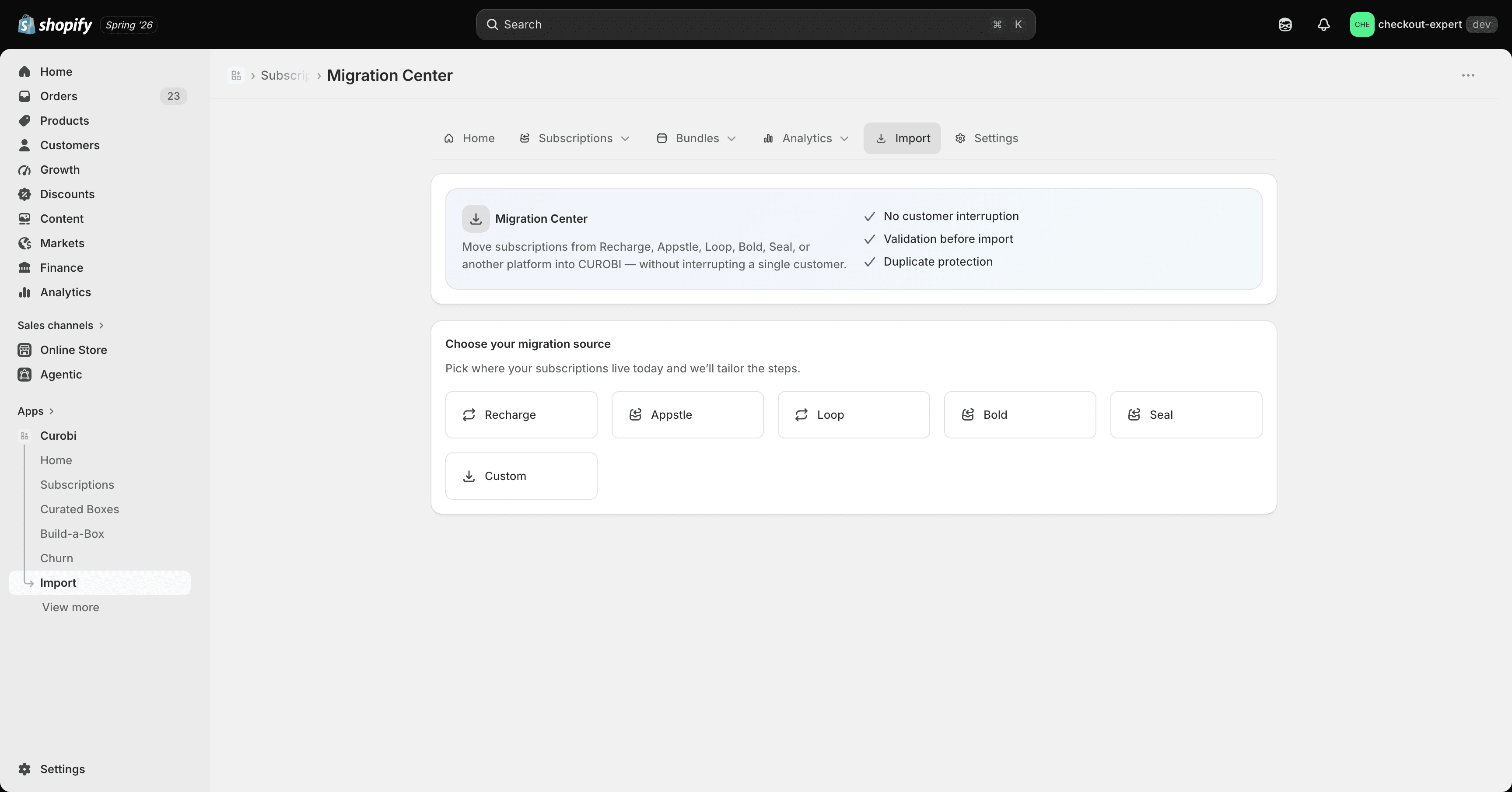
If you’re switching from another subscription app, Curobi can import your existing subscribers instead of making everyone re-subscribe from scratch. It has its own top-level Import tab in the admin.
Available on the Business and Pro plans. See Pricing & Plans.
How it works
-
Export your existing subscriptions to CSV from your current subscription app (Recharge, Appstle, Loop, Skio, or any other — the importer isn’t tied to a specific competitor’s format).
-
Open the Import tab and choose to import / migrate subscriptions.
-
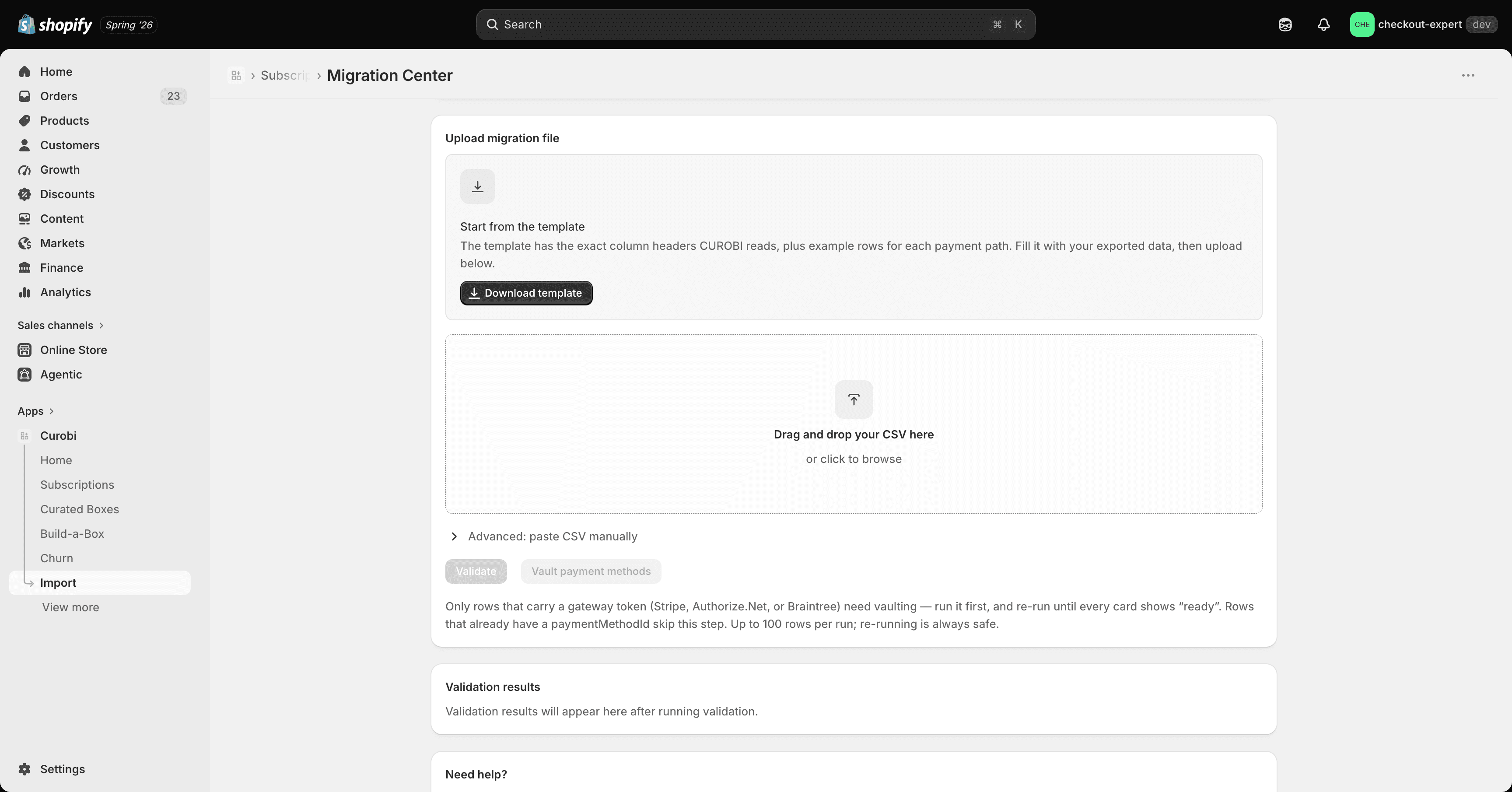
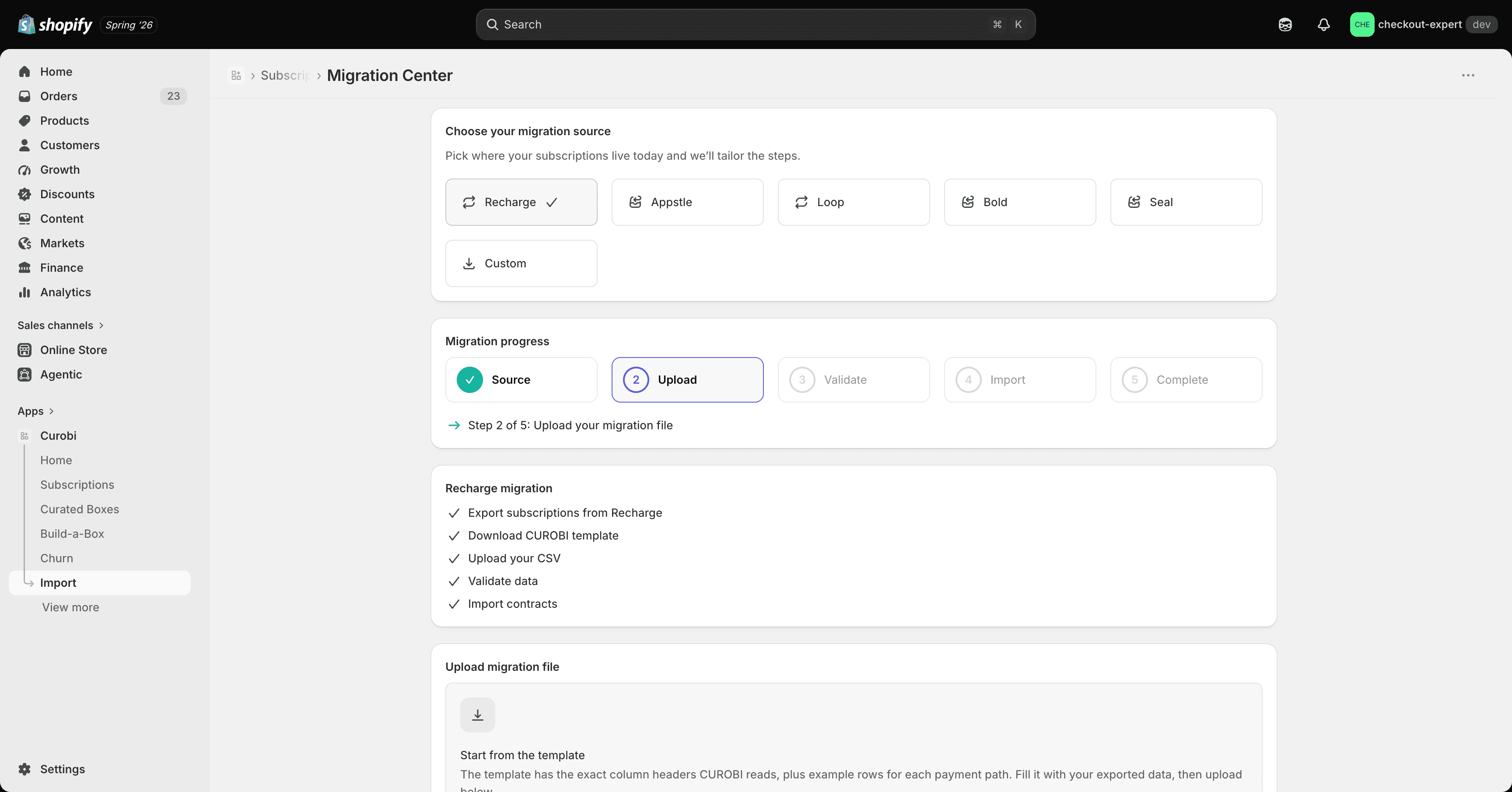
Download the sample CSV for the expected columns, then upload your file. Curobi runs a dry-run validation of every row first — you’ll see exactly which rows will succeed and which have problems (missing product, invalid frequency, etc.) before anything is committed.
-
Once you’re happy with the dry run, commit the import. Curobi creates real Shopify subscription contracts for each row.
Safety
The import is idempotent on the combination of your store and each row’s external ID from the source system — re-uploading the same file, or re-running an import after a partial failure, never creates duplicate subscriptions.
Walkthrough
See Import subscriptions from another app for a full step-by-step guide, including how to prepare your export file.